



Tips for Maintaining iPhone Battery Health to Keep it Lasting
- 27 Apr 2026 22:27 WIB
- Voice of Indonesia
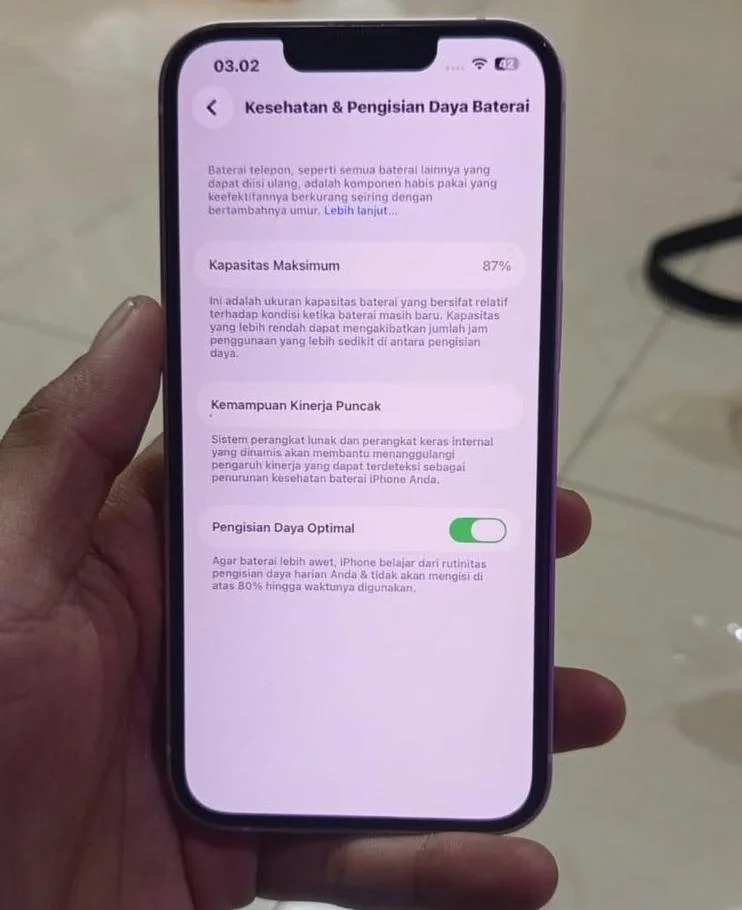
RRI.CO.ID, Jakarta - The iPhone battery is one of the most important components, but it is also prone to quality degradation over time. To maintain the iPhone's battery health and prevent it from deteriorating quickly, here are some maintenance tips:
1. Avoiding charging to 100%, too often charging to 100% continuously can accelerate battery degradation. It is recommended to charge only up to around 80% and not let the battery drain to 0%.
2. Use the optimized battery charging feature apple has provided the optimized battery charging feature that helps slow down the charging process after reaching 80%, thereby reducing stress on the battery. Activate this feature thru settings > battery > battery health & charging.
3. Avoid using iphone while charging using the iphone while it is charging can increase the device's temperature, which may potentially damage the battery in the long run. It is advisable to avoid heavy activities such as gaming or streaming while the phone is charging.
4. Do not let the iphone get excessively hot high temperatures can accelerate battery degradation. Avoid placing the iphone in direct sunlight or in extreme temperatures, such as inside a car parked under the scorching sun.
5. Use original chargers and cables using unofficial chargers or cables can cause unstable charging, and even risk damaging the battery. Use mfi (made for iphone) certified chargers and cables for maximum safety.
6. Reduce the use of fast charging although fast charging is very helpful, using it too often can shorten the battery's lifespan. If not in an urgent situation, use a standard power charger to extend the battery's lifespan.
7. Don't let the battery stay empty for too long if the iphone is not used for a long time, make sure the battery remains charged to around 50%. Leaving the battery in an empty state for too long can cause the battery to experience deep discharge, which can permanently damage the battery cells.
8. Reduce screen brightness and use power saving mode reducing screen brightness and activating low power mode can help reduce excessive power consumption, making the battery last longer in the long run.
9. Update ios regularly apple frequently releases ios updates that include power efficiency improvements. Make sure your iphone is always using the latest ios version to ensure the battery works optimally.
10. Check battery health regularly monitor battery health thru settings > battery > battery health & charging. If the maximum battery capacity is already too low (below 80%), consider replacing the battery with a new one at an official apple service.
News Recomendation
Loading latest news.....